
Glueware Part 2
I really like nvim, i also really like tridactyl. Why not both?
Praise the Wiki
I’m following this one hidden wiki page on tridactyls github that basically does what i want but for gvim. Since my nvim is on my debian WSL, the steps are basically the same besides using nvim vim-script extension, that allows you to run vim script in your init.lua.
init.lua
-- bottom of your init.lua
vim.cmd([[
function! Tridactyl(line, column, is_windows)
    if a:is_windows
        " Get the path
        let l:path = expand('%')

        " Perform the conversion manually (C:\... -> /mnt/c/...)
        let l:wsl_path = '/mnt/' . tolower(l:path[0]) . substitute(l:path[2:], '\\', '/', 'g')

        " Execute the edit
        execute 'edit ' . fnameescape(l:wsl_path)
        bd! #
    endif

    " Positioning logic
    call setcursorcharpos(a:line, a:column + 1)

    if col('.') == col('$') - 1
        startinsert!
    else
        startinsert
    endif
endfunction
]])
After that i just had to modify the integration file to work with Wezterm
wsl-intergration.js
// Detect if we are on Windows
let is_windows = + /Windows/.test(navigator.userAgent);

// Changed 'vim' to 'nvim'
let invoke_vim = `nvim '%f' -c 'call Tridactyl(%l, %c, ${is_windows})'`;

// terminal
let term_emu = `R:/Path/To/wezterm.exe`

// terminal config
let term_conf = `--config "window_decorations='NONE'" --config "hide_tab_bar_if_only_one_tab=true" --config "initial_cols=200" --config "initial_rows=15" start --position 0,0`

// The name of your wezterm multiplexer domain
let wez_domain = `debian`

// your shell
let shell = `zsh`

tri.excmds.set("editorcmd", is_windows ? `${term_emu} ${term_conf} --domain ${wez_domain} -e ${shell} -c "${invoke_vim}"` : invoke_vim);
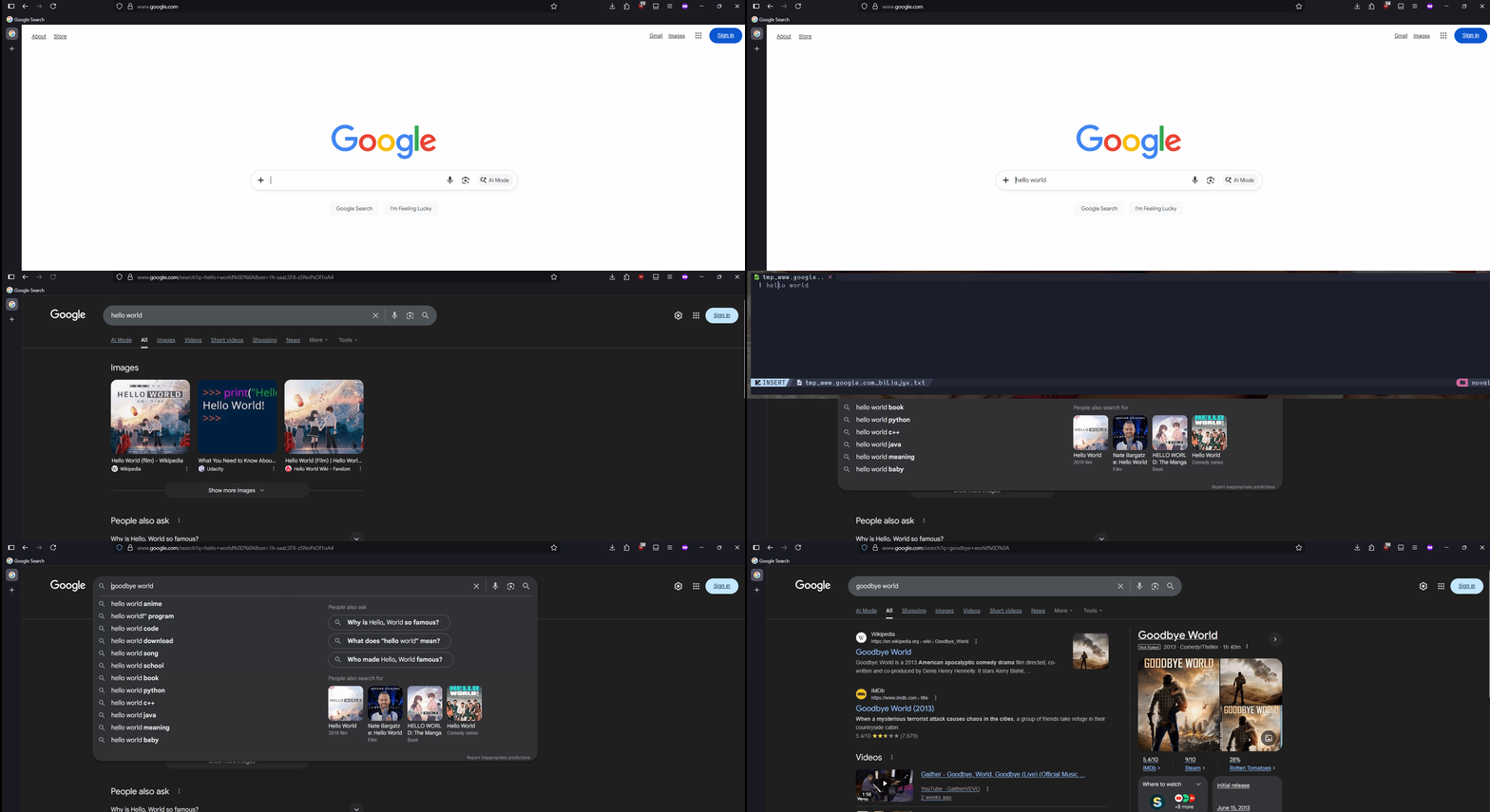
results
Now I’m able to use my nvim to edit text in any edit field, how fucking cool is that >:D
Tags: