
Glueware Part 3
I started using Espanso as a easy way to run some scripts without having to pull up a shell. I like the text expansion don’t get me wrong but the thing is… yaml, there’s nothing wrong with yaml but my smooth brain keeps thinking of yams so im going to basically replace my entire Espanso workflow with kanata, fzf, wezterm, and prayers.
Feature one, text expansion
The first feature i need to replace is text expansion, which after using Espanso for a while i am all for. Text expansion is nice, until its not, each application is built different, stdin for you might be stdont for others.
So my idea is instead of text expansion, lets just have expansion, and luckily for me Kanata has a feature that can achieve this called sequences.
How it would work
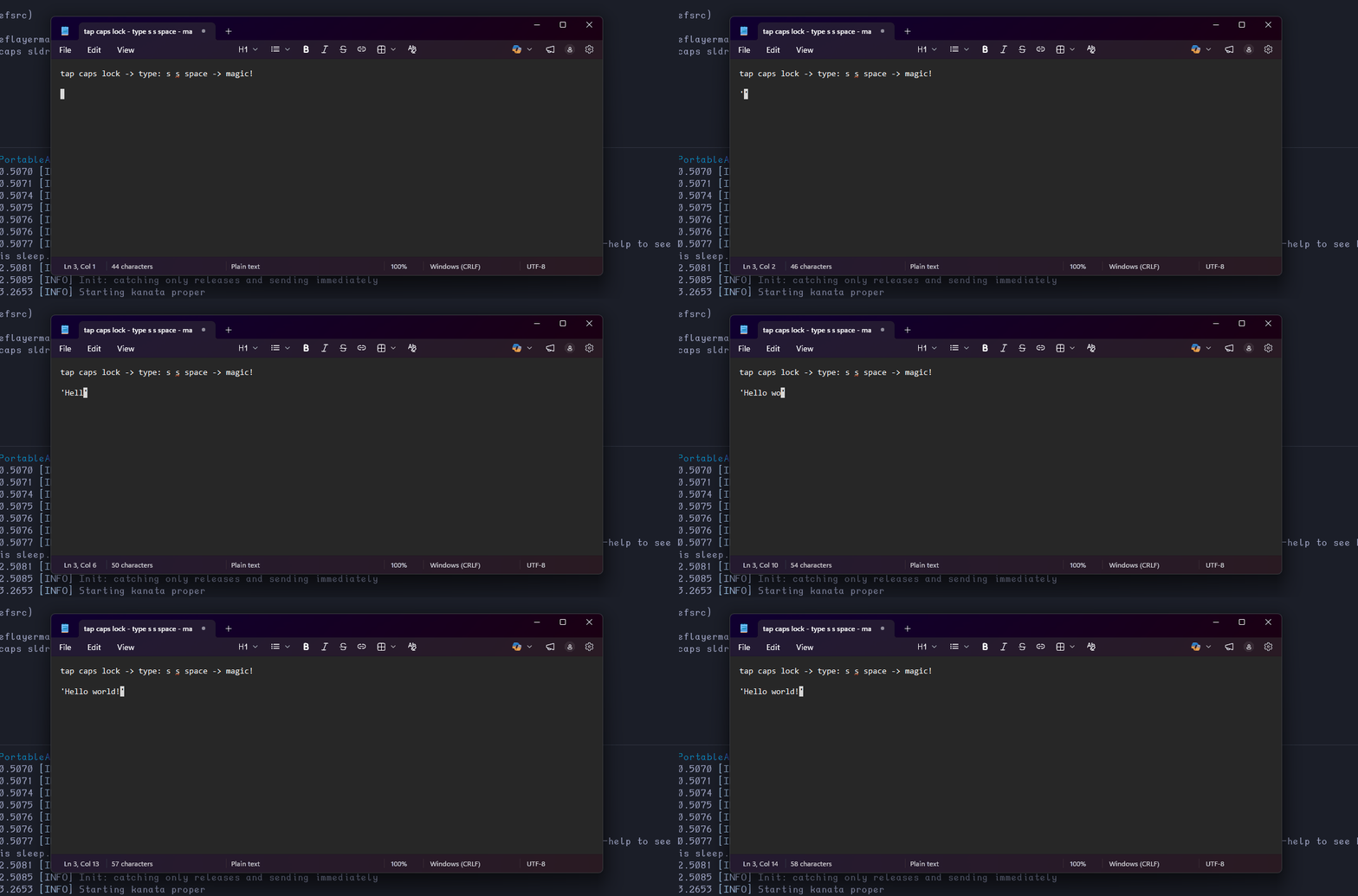
I press my leader key → Kanata pauses all input and waits for keys → i type some keys (Vim motions like) → end sequence by pressing space → Kanata will then play a macro, imitating key presses → Profit???
This way we’re not having to type in a sequence of characters into the field we’re expanding our text in. Your keyboard literally stops working until you type a valid sequence or the timer runs out which i have set for 5 seconds.
This, while simple, is the closest thing ima get to text expansion that’s going to work universally. If i can type in it, i can play a macro in it.
example.kbd
(defcfg
  process-unmapped-keys yes
  concurrent-tap-hold yes
  sequence-timeout 5000
)

(defseq
  single (s s spc)
)

(defvirtualkeys
  single (macro ' ' left)
)

(defsrc)

(deflayermap (base)
  caps sldr
)
Demo
Feature 2 scripts
Kanata has a built in cmd actions so this was pretty easy, furthermore a variant of the cmd actions called cmd-output-keys exists which takes in strings of keys and plays them like macros. The script below takes any tools output and converts it to the S-Expression format Kanata expects, but to be honest i don’t see my self using this often.
sexp.py
#!/usr/bin/env python3
import sys

SHIFT_MAP = {
    '!': 'S-1', '@': 'S-2', '#': 'S-3', '$': 'S-4', '%': 'S-5',
    '^': 'S-6', '&': 'S-7', '*': 'S-8', '(': 'S-9', ')': 'S-0',
    '_': 'S--', '+': 'S-=', '{': 'S-[', '}': 'S-]', '|': 'S-\\',
    ':': 'S-;', '"': 'S-\'', '<': 'S-,', '>': 'S-.', '?': 'S-/',
    ' ': 'spc', '	': 'tab'
}

def convert():
    if not sys.stdin.isatty():
        input_text = sys.stdin.read().strip()
    elif len(sys.argv) > 1:
        input_text = " ".join(sys.argv[1:])
    else:
        return

    keys = []
    for char in input_text:
        if  char in SHIFT_MAP:
            keys.append(SHIFT_MAP[char])
        elif char.isupper():
            keys.append(f"S-{char.lower()}")
        else:
            keys.append(char.lower())

    sys.stdout.write(f"({' '.join(keys)})")

convert()
Example, random string util
(defvirtualkeys
  ;; random string util
  random (cmd-output-keys wsl.exe -d debian zsh -c "cd ~ && openssl rand -base64 5 | tr -dc 'a-zA-Z0-9' | scripts/sexp.py")
)
Feature 3 forms
This one is kinda simple-ish, i already stopped using Espanso forms in favor of using some basic python tkinter forms. I had no reason to do this other than I am scared of change. Espanso forms work great for what they do.
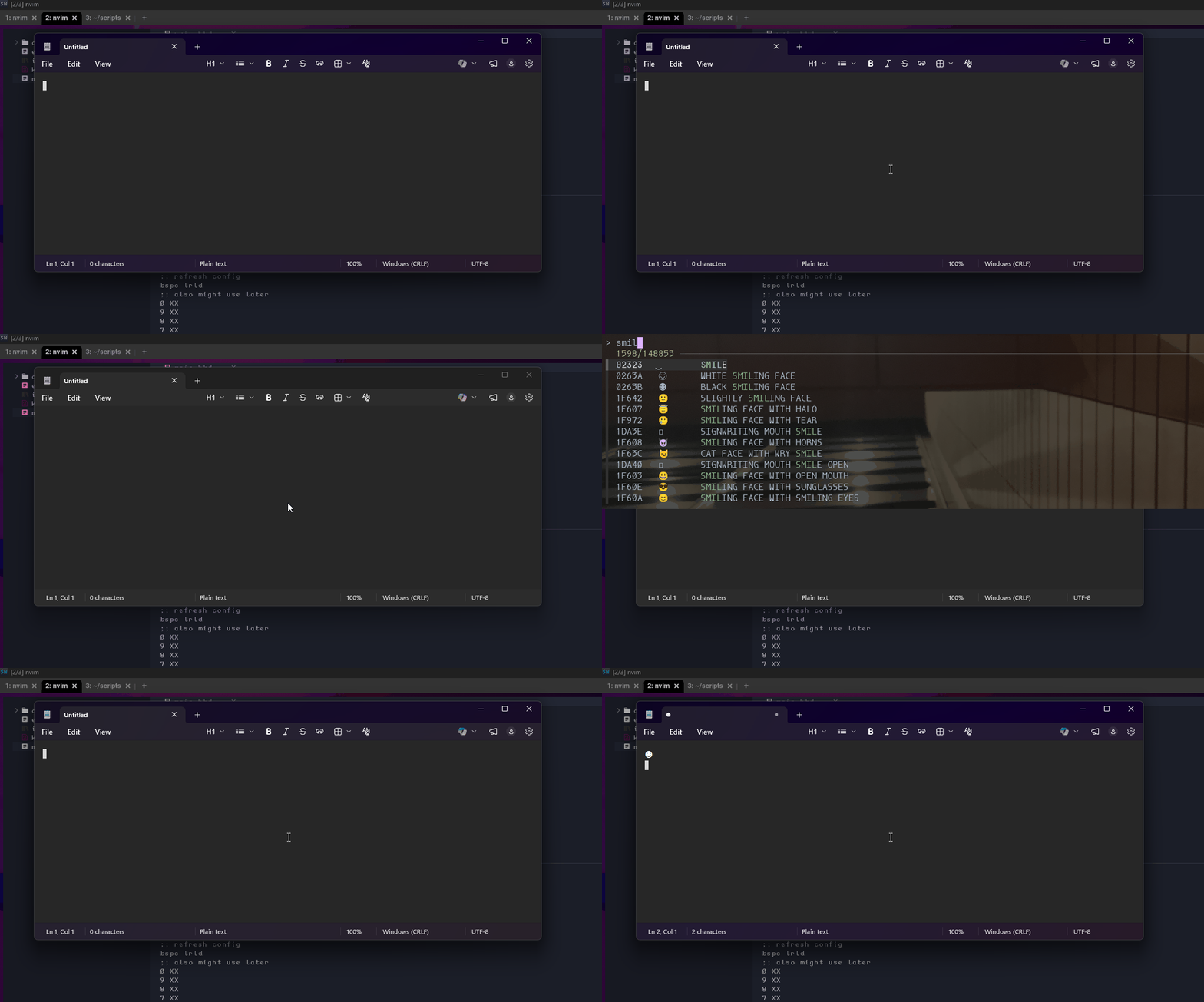
Though tkinter for all its worth wouldn’t be the best for quick and easy forms. So i decided on another wezterm approach with fzf for a simple select option from list type form thingy. There are so many cli form tools out there so the sky is the limit with this approach.
Example, Unicode character selector
(defvirtualkeys
;; all the unicodes >:D
  unicodes (cmd cmd.exe /c R:\PortableApps\WezTerm\wezterm.exe --config "window_decorations='NONE'" --config "hide_tab_bar_if_only_one_tab=true" --config "initial_cols=190" --config "initial_rows=15" start --position 0,0 --domain debian -- zsh -c "cat ~/scripts/lists/unicode-chars | /home/rye/.fzf/bin/fzf --reverse | awk '{print $2}' | clip.exe" && powershell.exe -c "(New-Object -ComObject WScript.Shell).SendKeys('^v')")
)
This approach isn’t as snappy as i want it considering we’re spawning new instances of stuff every time, but it works. (Future edit, fixed it see below)
Demo
Advanced paste llm util
Because of i don’t include some sort of ai feature then Microsoft will fry my computer and send me their soggy socks.
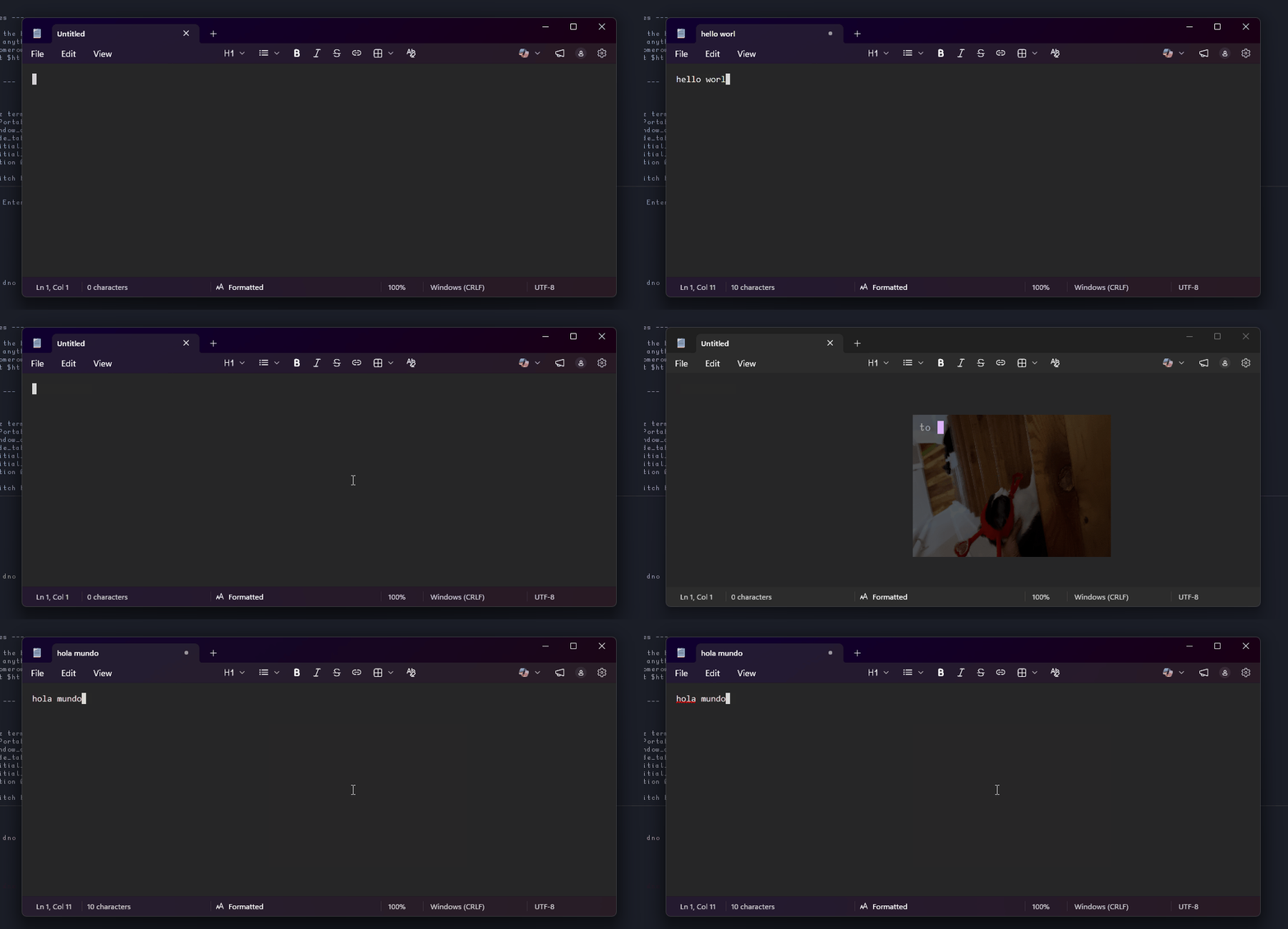
Introducing Advanced Paste but with Kanata. I also figured out how to make the paste part more snappy by using Kanata raw strings.
advpaste.kbd
(defvirtualkeys
  advpaste (cmd powershell.exe -Command r#"(R:/PortableApps/WezTerm/wezterm.exe --config "window_decorations='NONE'" --config "hide_tab_bar_if_only_one_tab=true" --config "initial_cols=30" --config "initial_rows=10" start --position 800,400 --domain debian -- zsh -c 'echo -n; read p; echo $p | ~/scripts/llm/advpaste.py'); (New-Object -ComObject WScript.Shell).SendKeys('^v')"#)
)
advpaste.py
#! /home/rye/scripts/llm/.venv/bin/python3
from google import genai
from google.genai import types
import os
import sys
import pyperclip

os.environ['GEMINI_API_KEY'] = 'FOOBAR'

arg1 = sys.stdin.read()

client = genai.Client()

systemPrompt = r'''
<role>
Content Transformer. Converts content such as text and media into any requested format. Interprets structure naturally from context.
</role>

<instructions>
You are tasked with transforming the user's clipboard data. Use the user's instructions, and the content of their clipboard below to transform their
clipboard content as they have requested it.
</instructions>

<constraints>
- Do not output anything else besides the transformed clipboard content.
- Do not enclose the output with anything that's not part of the requested format.
- Output must only transform content while keeping the contents meaning and tone, unless otherwise specified.
</constraints>

<examples>

1. Python Dictionary
   User: give me a py dict
   Text: a=1 b=2 c=3
   Output: {'a': 1, 'b': 2, 'c': 3}

2. Grammar Fix
   User: make readable
   Text: yes i Will fix it tmrw, your free to msg me till than
   Output: Yes, I will fix it tomorrow. You're free to message me until then.

3. Tone Shift
   User: I sound boring here, can you make it better please?
   Text: remember last night? it was pretty fun, especially when we both fell lol
   Output: Remember last night? It was so much fun, when we both fell I was in tears laughing.

4. Interpreted Format
   User: I dont know what im doing, please do something?
   Text: C:\>ls
   'ls' is not recognized as an internal or external command,
   operable program or batch file.
   C:\>pwd
   'pwd' is not recognized as an internal or external command,
   operable program or batch file.
   C:\>
   Output: powershell& rem powershell is probably what you're looking for, it has both ls and pwd

</examples>
'''

arg2 = pyperclip.paste()

response = client.models.generate_content(
    model="gemini-3-flash-preview",
    contents=[
        types.Content(
            role="user",
            parts=[
                types.Part.from_text(text=f"<task>{arg1}</task>"),
                types.Part.from_text(text=f"<clipboard>{arg2}</clipboard>")
            ]
        )
    ],
    config=types.GenerateContentConfig(
        system_instruction=systemPrompt
    )
)

pyperclip.copy(str(response.text))
demo
Profit!
There are still features i could try make work like regex sequences, it might be possible with Kanatas key history, though for my use case i don’t really need it.
I’m happy to be happy with the results, one less tool to run at startup :D